

Answering the Big Question: Is Party Animals Crossplay Supported?
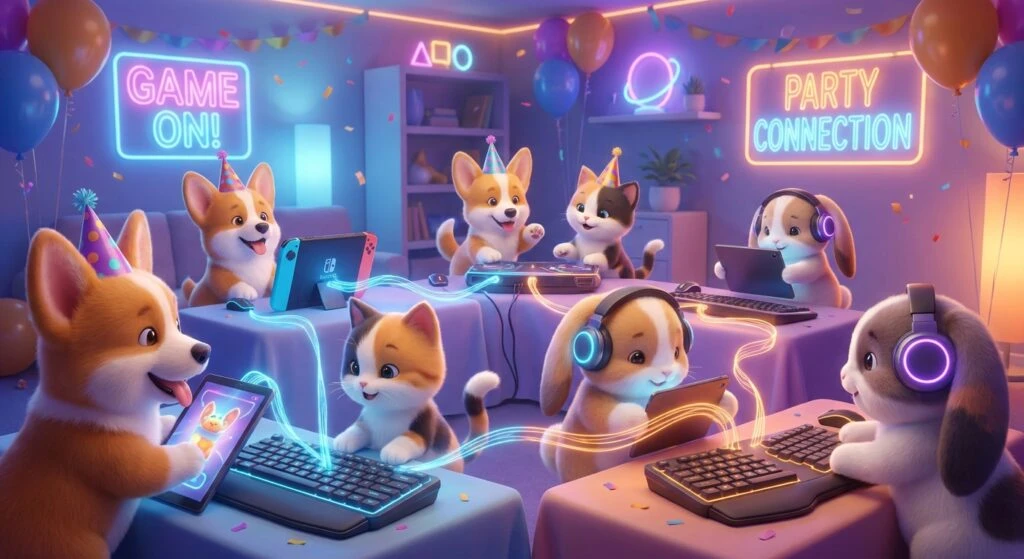
If you are trying to gather your friends for a chaotic, physics-based multiplayer gaming session, the first question on your mind is probably: is Party Animals crossplay enabled across different platforms? Gamers everywhere want to know if they can match up across different devices, especially when friend groups are split between Xbox consoles and high-end gaming computers. The quick answer is yes, but the way the developers at Recreate Games have built the multiplayer ecosystem goes far beyond a simple matchmaking switch. Playing alongside friends regardless of their chosen hardware creates a universally accessible environment that keeps the community thriving. The social nature of cooperative and competitive gaming dictates that boundaries between hardware ecosystems should disappear completely. Recreate Games recognized this fundamental need from the very outset of development, designing their backend networking infrastructure to handle seamless cross-platform lobbies from day one. When you are tossing a fluffy animal character off a precarious submarine or swinging a giant green lollipop at a cartoon dinosaur, the absolute last thing you want to worry about is whether your friend on the Steam client can actually join your Xbox party. By unifying the player base across all available storefronts, the matchmaking pool remains massive, queue times are practically non-existent, and the overall longevity of the title is secured for years to come. We are going to explore exactly how this infrastructure operates, the technical magic behind synchronizing active ragdolls, and precisely how you can set up your mixed lobbies.
The primary benefit of unified multiplayer ecosystems is the total elimination of hardware barriers. Historically, if one friend bought a home console and another invested heavily in a custom PC, their cooperative gaming options were severely limited. Party Animals destroys that barrier entirely, ensuring that nobody is left out of the fun. The value proposition of this cross-platform integration extends far beyond simply playing together for a few rounds; it creates a highly unified community where gameplay patches, balance updates, and massive content drops happen simultaneously across all devices. When a brand new map or a fresh animal character is released to the public, the entire community experiences it on the exact same day, fostering a shared cultural moment. This level of integration requires a highly robust backend infrastructure that can communicate across different corporate networks without skipping a beat.
Read also: Stardew Valley Cross Platform Status and Multiplayer Guide; Daintre Christensen: Broadcast Career and Industry Profile.
| Platform Ecosystem A | Platform Ecosystem B | Crossplay Functionality Status |
|---|---|---|
| Xbox Series X and Series S | PC (Steam Client) | Fully Compatible and Seamless |
| Xbox One (Previous Generation) | Xbox Series X and Series S | Native Cross-Generation Support |
| PC (Windows Store / Game Pass) | PC (Steam Client) | Direct Backend Integration |
The robust server backend ensures that your social experience remains completely uninterrupted by technical hurdles. You do not have to worry about maintaining separate friends lists for different devices or dealing with confusing account transfers. The game utilizes an internal ID system that acts as a universal passport for the entire brawler ecosystem. Here are the core benefits of this highly unified approach:
- Unified Player Identification: Every single player receives a unique in-game friend code upon launching the title, allowing you to add anyone directly to your roster regardless of whether they play on a console or a computer.
- Accelerated Matchmaking Speed: By combining the concurrent player pools from Steam, the Windows Store, and all Xbox consoles, the matchmaking algorithm always has a massive reserve of active participants, reducing queue times to mere seconds even during late-night off-peak hours.
- Native Voice Communications: The internal servers handle voice over IP directly within the game client, meaning you do not need to rely on external software to hear your friends communicating during a hectic match.
Origins of the Brawler Concept
The concept of tossing physics-driven characters into hazardous, collapsing environments is not entirely new to the gaming industry, but the precise execution seen here set a completely different standard for quality. When the earliest promotional demos surfaced in late 2020, players were immediately captivated by the charming, highly polished character designs masking hilariously aggressive and unpredictable gameplay. Even during these early limited testing phases, the community began asking if they would be permanently restricted to a single platform. The developers firmly understood that a party game relies heavily on maximum accessibility. The origins of their networking approach started right in those early days, focusing on building a server authority model that could eventually support players from any hardware background without favoring one specific input method over the other.
Evolution of Multi-Platform Infrastructure
As the primary development cycle progressed toward the highly anticipated 2023 launch window, the team at Recreate Games partnered very closely with Microsoft to ensure ultimate stability. This strategic partnership was absolutely crucial for establishing the server backbones necessary for a smooth, high-traffic launch. The evolution of multi-platform infrastructure requires overcoming immense technical hurdles, particularly regarding stringent corporate certification processes and secure account linking. The developers built a custom backend that hooks directly into the Xbox Live ecosystem while simultaneously talking smoothly to Steam proprietary matchmaking servers. This dual-pipeline approach ensures that secure authentication happens in milliseconds, allowing a seamless handshake between a PC client and an Xbox server host without any noticeable delay for the end user.
Modern State of Lobby Matchmaking
By 2026, the matchmaking landscape for the game has matured significantly, proving the longevity of the developers original vision. Early networking growing pains, such as occasional physics desynchronization or sudden party disconnects, have been entirely ironed out through years of continuous backend optimization. The modern state of lobby matchmaking is heavily automated and incredibly smooth. When you queue for a quick match today, the routing algorithm instantly identifies the geographic location and connection ping of all players, seamlessly bridging PC and Xbox users into the optimal regional Azure server. This maturity means that players rarely even notice they are playing a cross-platform title; it just feels like one deeply cohesive, lag-free gaming environment where everyone plays on an even playing field.
Cross-Platform Server Architecture
Building a game where the question of is Party Animals crossplay functions perfectly requires highly robust server architecture. The game relies entirely on dedicated servers rather than outdated peer-to-peer networking models. If a modern game uses peer-to-peer, the host personal hardware and internet connection completely dictate the experience for everyone else. By utilizing dedicated enterprise data centers, the game ensures that neither the high-end PC player nor the console player holds an unfair latency advantage. The servers operate at a strictly locked high tick rate, constantly validating the inputs from every connected device in real-time. This client-server model means that your local machine sends your controller or keyboard inputs directly to the server, the server calculates the authoritative game state, and then sends the accurate result back to everyone simultaneously.
Physics Synchronization Across Devices
The single most difficult aspect of engineering a physics-based brawler is making absolutely sure that a heavy punch looks the exact same on a living room console as it does on a computer monitor. Active ragdoll physics are notoriously difficult to sync over a wide area network because every tiny collision creates a massive butterfly effect of complex mathematical calculations. The developers achieved this flawless synchronization through highly deterministic physics engines.
- Deterministic Logic Validation: The authoritative server mathematically forces all client devices to agree on the exact outcome of a physical interaction, preventing characters from teleporting wildly after a heavy hit.
- Client-Side Prediction Algorithms: To expertly mask unavoidable network latency, your local game engine predicts exactly where your character will be while waiting for the server to confirm, keeping movement feeling incredibly responsive and fluid.
- Server Reconciliation Methods: If the local client prediction is slightly wrong due to a sudden, unexpected impact from an opponent, the server gently corrects the character position over a few frames without causing a massive, jarring visual stutter.
- Optimized UDP Packet Routing: The custom networking code uses the User Datagram Protocol to strictly prioritize data speed, dropping heavily delayed lost packets rather than waiting for them, which is a vital technique for fast-paced, real-time physics brawlers.
Step 1: Launch the Game and Authenticate
Starting your cross-platform multiplayer journey is incredibly simple and straightforward. Boot up your game on your preferred device. Ensure that your system is securely connected to a highly stable internet connection, preferably using a direct ethernet cable rather than Wi-Fi to drastically reduce local latency during intense physics calculations. The game will automatically authenticate your profile with either the Xbox Live servers or the Steam network, depending on your chosen platform.
Step 2: Locate Your Unique Player ID
Once you arrive on the vibrant main menu screen, navigate directly to your personal player profile located in the bottom right corner of the user interface. Here, you will find a unique alphanumeric player ID assigned exclusively to you. This specific code acts as your universal passport across the entire network. You must copy this code or take a quick picture of it, as it is the master key to connecting with your friends on completely different hardware systems.
Step 3: Add Friends via the In-Game Social Menu
Open the internal social panel by pressing the designated prompt shown on your screen. Switch over to the friend addition tab. Carefully input the exact alphanumeric player ID of your friend. Because this specific system utilizes the internal game servers, it does not matter at all if you are typing this on a mechanical PC keyboard or navigating a virtual console keyboard with a controller. Send the request, and they will receive an in-game notification instantly.
Step 4: Create a Custom Lobby or Party
With your friends successfully added to your internal game list, you can now form an active party. Select the custom game option if you want to play privately against each other, or simply invite them to your main menu lobby to queue up for public online matchmaking. The designated party leader controls the entire flow of the session, and party leadership can be easily passed between PC and console players effortlessly with the push of a button.
Step 5: Adjust Matchmaking Preferences
Before enthusiastically searching for a new game, briefly check your party matchmaking region settings. The game usually defaults automatically to the server region with the lowest ping for the party leader. However, if your friends are located in a completely different country, you might want to manually select a centralized server region that offers a much more balanced ping for everyone in the group to ensure highly fair physics interactions.
Step 6: Test In-Game Voice Communications
Clear communication is absolutely vital when coordinating team attacks or desperately calling for help while hanging off a ledge. Since you are playing on different platforms, utilize the built-in voice over IP functionality. Go to the main audio settings and ensure your microphone is properly enabled and set to either open microphone or push-to-talk. Do a quick audio check in the lobby so that everyone can hear each other clearly.
Step 7: Select Your Map and Launch the Match
Now that all the technical setup is fully complete, it is finally time for the fun part. The party leader can carefully select the desired arenas, game modes, and specific team colors. Once everything is confirmed by all players, hit the ready button. The backend matchmaking system will quickly pull your entire mixed-hardware group into a dedicated server, and the chaotic brawling will commence immediately.
Myth: PC players have a distinct, overwhelming advantage due to higher monitor framerates and precise keyboard controls.
Reality: All game physics calculations and hit detections are strictly bound to the server tick rate, meaning higher local framerates absolutely do not translate to faster attacks, stronger punches, or better physics priority. In fact, standard game controllers are widely considered the preferred input method for most top-tier competitive players.
Myth: You must create a completely separate external account to use any of the cross-network features.
Reality: There is absolutely no external account creation required to play. The game automatically generates a unique internal ID based purely on your existing console or PC profile, keeping the onboarding process entirely frictionless.
Myth: Console players cannot use text chat to communicate with computer users during a match.
Reality: Console players actually have full, unrestricted access to the in-game text chat system. By plugging in a standard USB keyboard or quickly utilizing the virtual on-screen keyboard, they can type messages that appear instantly for everyone in the lobby.
Do I need an active subscription for Party Animals crossplay?
Yes, if you are playing on an Xbox console, you must maintain an active online multiplayer subscription to access any internet-based features, regardless of who you are matching with. PC players, however, only need their standard home internet connection to play online.
Can Steam and Windows Store users play together easily?
Absolutely. While both user bases are technically playing on a computer, they operate on entirely different corporate store ecosystems. The internal matchmaking treats them all as unified players, meaning Steam users and Windows Store users can party up without any friction whatsoever.
Is there a way to turn off cross-platform matchmaking?
Players generally have the option buried in their network settings to restrict matchmaking exclusively to their native platform. However, doing so drastically reduces the available active player pool and exponentially increases queue wait times.
Does the game support cross-progression mechanics?
Currently, account progression is permanently tied to the specific platform ecosystem you play on. While you can easily play with friends anywhere, your unlocked cosmetic skins, character outfits, and digital currency do not transfer between an Xbox profile and a Steam profile.
Are other major consoles included in this ecosystem?
As of 2026, the game remains heavily tied to the Microsoft ecosystem and PC storefronts. There is currently no network functionality for other competing consoles because the title is simply not available for purchase on those specific hardware platforms.
How many players can join a single mixed lobby?
A standard custom lobby environment can comfortably hold up to eight players simultaneously. Your active party can be any mixture of computer and console users, ranging from an even split to seven computer players and a single console user.
Will network lag ruin the physics interactions?
The developers use highly optimized dedicated regional servers and advanced client-side prediction algorithms to fiercely minimize the visual impact of lag. While a highly unstable local connection will always cause some jittering, standard latency differences are completely smoothed out by the advanced netcode.
If you were wondering is Party Animals crossplay fully functional, the answer is a resounding yes. The highly dedicated developers have meticulously crafted a wonderfully unified multiplayer experience that completely tears down traditional hardware barriers, letting you focus entirely on the hilarious physics and chaotic arena combat. Gather your friends, share your unique player IDs, and jump into the arena together today!